Tangem wallet offers a cutting-edge, user-friendly hardware wallet solution designed for secure cryptocurrency management through NFC-enabled physical cards without the need for complex seed phrases. This step-by-step guide explains how to use the Tangem wallet professionally, from setup to everyday transactions, ensuring optimal security and usability.
Step 1: Download the Tangem App
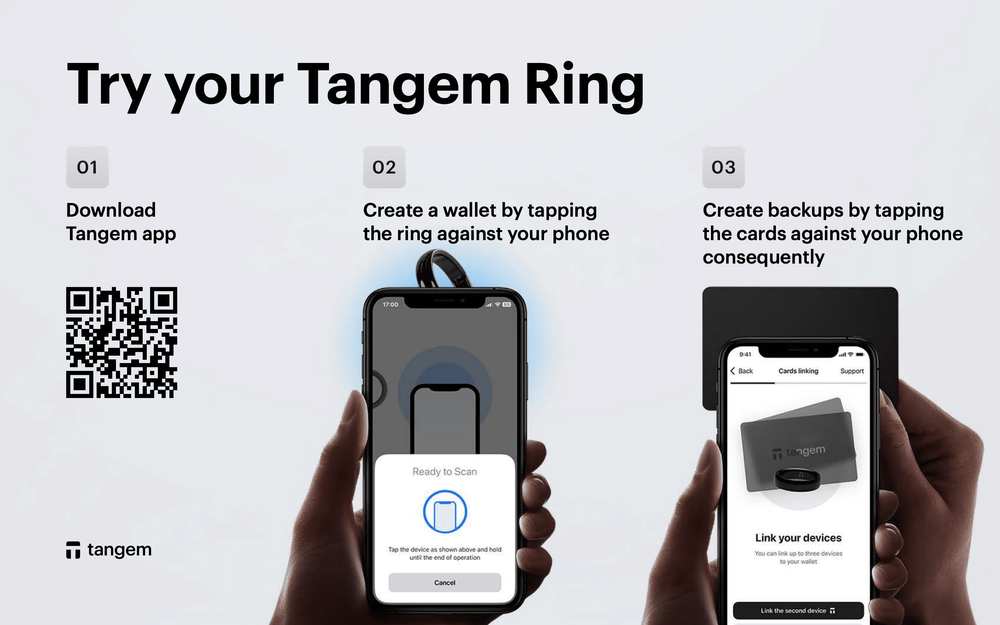
Start by downloading the official Tangem(Links may be affiliate links) app from your smartphone’s app store. It’s available on iOS and Android platforms. Confirm the developer is “Tangem AG” to avoid fake applications.
Step 2: Initialize Your Tangem Wallet
Open the Tangem app and tap “Create Wallet” to generate your private key directly inside the Tangem card’s secure element. Hold your first Tangem card against the back of your NFC-enabled smartphone; the app will detect the card and initiate wallet setup.
You have the option to create a wallet with or without a seed phrase. The seedless option is Tangem’s default and recommended for simplicity and security, eliminating the need to write down recovery phrases.
If you prefer, select “Other Options” to generate or import an existing seed phrase for backup or wallet migration.
Step 3: Create Your Access Code
Once wallet creation completes, you will set up a secure access code (PIN or password) required to authorize all future transactions. Tangem allows strong alphanumeric passwords with symbols for enhanced security. Make sure to memorize or securely store this code.
Step 4: Scan Backup Cards
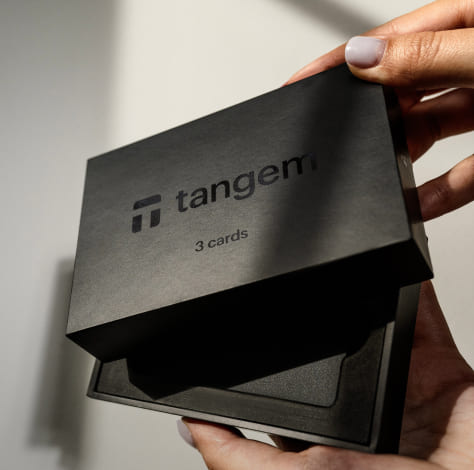
Tangem wallets typically come in sets of 2 or 3 identical cards, each containing your private key. Scan each backup card by holding it against the phone NFC sensor after the primary card setup. This process clones the wallet keys to your backup cards, ensuring seedless multisource recovery.
Store backup cards securely in separate physical locations for maximum safety.
Step 5: Add Your Favorite Tokens
After wallet initialization, you can manage supported cryptocurrencies by going to the “Manage Tokens” section in the Tangem app. The app supports over 6,000 tokens across multiple networks including Bitcoin, Ethereum, Solana, and Polygon.
To add tokens, scan any Tangem card and enter your access code to authorize additions. You don’t have to add all tokens upfront; add tokens as needed.
Step 6: Receive Cryptocurrency
To receive crypto, select the token you want to receive in the app, tap “Receive,” and display the wallet address or QR code. Share this address with the sender or exchange for depositing crypto into your Tangem wallet.
Step 7: Send Cryptocurrency
To send crypto, enter the recipient’s address and the amount in the app, then tap your Tangem card against your phone’s NFC sensor. Enter your access code to authorize the transaction. The private key never leaves the card; all signing happens offline, ensuring maximum security.
Step 8: Use WalletConnect and DeFi Integrations
Tangem integrates with WalletConnect, enabling connection to decentralized exchanges (DEXs) and DeFi platforms securely from your hardware wallet. Approve transactions through your Tangem card’s tap-to-sign interface to maintain cold storage security even when interacting with online services.
Step 9: Monitor and Manage Your Wallet
Access settings to rename wallets, enable biometric unlock for convenience, update access codes, and inspect transaction history. Manage multiple wallets within a single app instance by adding multiple Tangem card sets.
Step 10: Maintain Long-Term Security
- Keep backup cards in physically secure, separate locations
- Never share your access code, seed phrase (if used), or private keys
- Update the Tangem app regularly for security patches
- Use strong, unique passwords and biometric protection on your smartphone
Advantages of Using Tangem Wallet
- Seedless Backup: Avoids managing complicated seed phrases by storing private keys in multiple cards
- EAL6+ Certified Security: Secure element chip protects against physical and cyber attacks
- Simple Tap-to-Sign: Transactions authorized via NFC tap, mimicking contactless payment cards
- Battery-Free, Rugged Design: Durable cards with 25-year warranty require no charging or maintenance
- Supports Thousands of Tokens and Multiple Blockchains: Versatile for all major cryptocurrencies and tokens
- Beginner Friendly: Easy setup within minutes, suitable for crypto novices and experts alike
Summary
Using the Tangem wallet is an intuitive and secure process involving downloading the official app, initializing your wallet with or without a seed phrase, creating an access code, and cloning backup cards for secure recovery. You can add tokens, send and receive cryptocurrencies using NFC card taps, and safely interact with DeFi apps through WalletConnect. Maintaining backup card security and app updates maximizes your cryptocurrency protection. Tangem combines professional-grade hardware wallet security with an easy-to-use mobile interface, ideal for both beginners and experienced users.