Tangem wallet swap failures on Polygon network typically occur due to third-party exchange provider issues, insufficient gas fees, network congestion, or outdated app versions. The Tangem wallet relies on external swap partners like Changelly, 1inch, ChangeNOW, and ChangeHero to facilitate exchanges, and when these providers experience technical difficulties or temporarily disable Polygon routes, swaps fail to execute.
Understanding Why Tangem Polygon Swaps Fail
Third-Party Provider Dependencies
Tangem wallet does not operate its own built-in exchange system. Instead, swaps are processed through multiple third-party aggregators including Changelly, 1inch, ChangeNOW, ChangeHero, and OKX. When you initiate a swap on Polygon, Tangem queries these providers to find the best available rate and route for your transaction.
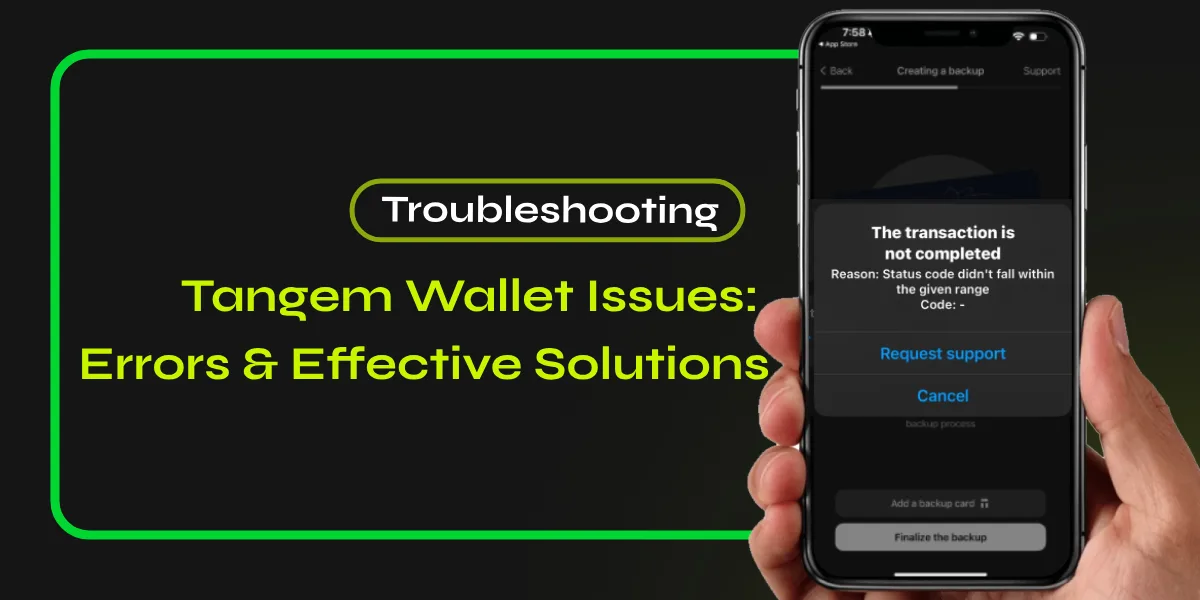
If the selected provider is experiencing technical issues, undergoing maintenance, or has temporarily disabled Polygon network support, your swap will fail with error messages such as “the chosen provider is unavailable please try again later”. This dependency on external services means that swap functionality can be disrupted even when your wallet and the Polygon network are functioning correctly.
Common Error Messages and Their Meanings
When swaps fail on Tangem, users typically encounter several specific error patterns. The “awaiting deposit” message that never completes indicates that the exchange provider did not detect your outgoing transaction within the expected timeframe. This commonly occurs when network congestion delays transaction confirmation or when there are insufficient funds to cover gas fees.
Transactions that “auto cancel about two hours later” suggest that the exchange provider’s time window expired before receiving confirmation from the blockchain. The swap interface may also display “provider unavailable” errors when the exchange service temporarily suspends Polygon routes due to liquidity issues, maintenance, or regulatory compliance requirements.
Some users report that swap transactions simply disappear from their transaction history without any notification. This typically happens when the transaction fails at the provider level before being broadcast to the blockchain.
Network-Specific Polygon Challenges
Polygon network congestion can significantly impact swap success rates. During periods of high activity, transactions may require higher gas fees to achieve timely confirmation. Tangem’s swap providers sometimes use conservative gas estimates that become insufficient when network demand suddenly increases, causing transactions to remain pending indefinitely.
The wallet supports Polygon PoS (Proof of Stake) mainnet but does not yet support Polygon zkEVM, a newer Layer 2 scaling solution. Users who accidentally send assets on unsupported Polygon networks will not see their tokens in the wallet interface and cannot swap them using built-in features.
Step-by-Step Solutions for Failed Polygon Swaps
Verify Sufficient MATIC for Gas Fees
Every transaction on Polygon network requires MATIC tokens to pay for gas fees. Before attempting any swap, ensure your wallet contains enough MATIC to cover the transaction cost. A common mistake is holding only the token you want to swap without maintaining a MATIC balance for fees.
Check your MATIC balance in the Tangem app by navigating to your Polygon network section. For most swaps, having 0.1 to 0.5 MATIC is sufficient to cover multiple transaction attempts. If your MATIC balance is zero or very low, you must first acquire MATIC through a centralized exchange or cross-chain bridge before proceeding with swaps.
Update Tangem App to Latest Version
Outdated app versions frequently cause swap failures due to compatibility issues with provider APIs. Tangem regularly releases updates that fix known bugs, improve swap routing, and enhance provider integration.
Open your device’s app store and check for Tangem app updates. Install the latest version available for your platform, whether iOS or Android. After updating, completely close and restart the app to ensure all changes take effect. Many users report that swap issues resolve immediately after updating to the newest version.
Refresh Token Data and Network Connection
The Tangem app caches token balances and network data that can become outdated. Open the specific token wallet you want to swap from and swipe down to manually refresh the balance. Wait approximately 30 seconds for the refresh cycle to complete.
If refreshing does not resolve the issue, try switching your internet connection. Toggle between Wi-Fi and mobile data to rule out network-specific routing problems. Some users find that enabling or disabling a VPN can affect swap provider connectivity.
For persistent display issues with a specific token, hide the token from your wallet view and then re-add it through the app menu. This forces the app to re-query the blockchain and rebuild the token interface.
Try Different Swap Providers Within Tangem
When initiating a swap in Tangem, the app typically presents multiple exchange providers with different quotes. If your swap fails with one provider, cancel the transaction and select an alternative provider from the list.
Providers like 1inch typically work best for large liquidity token pairs such as USDC, USDT, WETH, and MATIC. Changelly and ChangeNOW may offer better routes for less common tokens or cross-chain swaps. OKX integration provides competitive rates for popular trading pairs.
Each provider has different strengths, fee structures, and operational statuses at any given time. Testing multiple providers helps identify whether the issue is provider-specific or affects all swap routes.
Check Polygon Network Status
Sometimes the problem originates from the Polygon blockchain itself rather than Tangem or swap providers. Visit official Polygon network status websites or blockchain explorers like PolygonScan to verify network health.
During network upgrades, hard forks, or unexpected technical issues, the Polygon blockchain may experience degraded performance or temporary unavailability. Transaction processing times can extend from seconds to hours during severe congestion.
If the network shows elevated transaction failure rates or significantly delayed block confirmations, waiting until conditions normalize will likely resolve your swap issues. Attempting swaps during network instability wastes gas fees and increases frustration.
Reinstall Tangem App for Persistent Issues
When all other troubleshooting steps fail, reinstalling the Tangem app can resolve deep-rooted software glitches. Before uninstalling, verify that you have access to your physical Tangem cards, as you will need them to restore your wallet after reinstallation.
Uninstall the Tangem app completely from your device. Restart your phone to clear any cached system data. Download a fresh copy of the Tangem app from your official app store. Open the app and scan your Tangem card to restore wallet access.
This process creates a clean app environment without corrupted cache files or outdated API configurations that may have been causing swap failures.
Alternative Methods to Swap Polygon Tokens
Transfer to Centralized Exchange
When built-in Tangem swaps repeatedly fail, transferring your Polygon tokens to a centralized exchange provides a reliable alternative. This method bypasses third-party aggregators and gives you direct access to professional trading infrastructure.
Send your Polygon tokens to your exchange deposit address using the Tangem wallet’s send function. Navigate to your exchange account, select the deposit option for your specific token, and carefully copy the Polygon network deposit address. Return to Tangem, paste the address, specify the amount, and confirm the transaction by tapping your card.
Once the exchange confirms receipt of your tokens, you can execute swaps using the exchange’s trading platform and then withdraw your new tokens back to Tangem if desired. This approach incurs exchange trading fees and withdrawal fees but offers significantly higher reliability than problematic wallet swaps.
Use WalletConnect with Decentralized Exchanges
Tangem’s WalletConnect integration allows direct connection to decentralized exchanges like Uniswap, QuickSwap, and SushiSwap. This method gives you full control over swap execution without relying on Tangem’s built-in aggregators.
Visit a Polygon-compatible DEX website such as QuickSwap or Uniswap (set to Polygon network). Click the “Connect Wallet” button and select WalletConnect from the available options. Scan the QR code with your Tangem app or use the connection link on mobile.
The Tangem app version 5.27 and later includes enhanced WalletConnect functionality with transaction previews, Blockaid-powered scam detection, and improved multi-network session management. These security features protect you from malicious contracts while swapping on decentralized platforms.
After connecting, select the tokens you want to swap on the DEX interface. Review the transaction details including gas fees and slippage tolerance. Approve the transaction in the Tangem app by tapping your card when prompted. The swap executes directly on-chain without intermediary services.
Cross-Chain Swaps and Bridges
If you cannot swap within the Polygon network, consider bridging your tokens to a different network where swaps are functioning properly. Tangem supports cross-chain swaps through its aggregator partners, allowing you to move value between Ethereum, Polygon, Solana, and other supported networks.
Open the swap interface in Tangem and select different networks for the “from” and “to” fields. For example, you might swap Polygon USDC to Solana SOL, effectively moving your value to a network where additional swap opportunities are available.
Cross-chain swaps typically take longer to complete and incur higher fees due to bridge operations. However, they provide flexibility when single-network swaps are unavailable. Always verify that both networks are fully synced in your Tangem wallet before attempting cross-chain transactions.
Preventing Future Polygon Swap Issues
Maintain Adequate MATIC Balance
Always keep a buffer of MATIC tokens in your Polygon wallet specifically for gas fees. A recommended practice is maintaining at least 1-2 MATIC dedicated to transaction costs, separate from tokens you plan to trade.
This cushion ensures you can complete swaps even if gas prices spike during network congestion. Running out of MATIC mid-transaction is one of the most common causes of failed swaps that users can easily prevent.
Monitor Network Congestion Before Swapping
Check Polygon network activity levels before initiating significant swaps. Blockchain explorers show current gas prices, transaction volumes, and average confirmation times. Swapping during periods of low activity typically results in faster execution and lower fees.
Avoid swapping during major market events, token launches, or NFT drops that cause network congestion. Waiting a few hours for network conditions to improve can save both time and money.
Use Test Transactions for Large Swaps
When swapping substantial amounts, perform a small test transaction first to verify the entire process functions correctly. Send a minimal amount through the same swap route you plan to use for the larger transaction.
If the test swap completes successfully, proceed with your full amount. If the test fails, you have only risked a small gas fee rather than potentially losing access to a large position in a stuck transaction.
Keep Multiple Wallet Options Available
Relying exclusively on any single wallet’s built-in swap feature creates vulnerability when that service experiences issues. Maintain accounts on one or two centralized exchanges and familiarize yourself with accessing DEXes through WalletConnect.
This multi-option approach ensures you always have alternative methods to manage your Polygon assets when primary routes fail. The small time investment in setting up backup options pays significant dividends during service disruptions.
Understanding Tangem Swap Fees on Polygon
Provider Service Fees
Each swap executed through Tangem involves a service fee charged by the exchange provider. Changelly typically charges a 0.35% service fee on swap amounts. Other providers like 1inch and ChangeNOW have their own fee structures that vary based on transaction size and token pair.
Tangem occasionally runs promotional campaigns with partners like Changelly offering 0% service fees for limited periods. Taking advantage of these promotions can significantly reduce swap costs, especially for frequent traders.
The service fee is displayed before you confirm any swap transaction. Always review the total cost including both service fees and network gas fees before proceeding.
Network Gas Fees
Beyond service fees, all Polygon transactions require MATIC for gas fees. Gas costs fluctuate based on network congestion and transaction complexity. Simple token swaps typically cost between 0.001 to 0.01 MATIC under normal conditions.
During network congestion, gas fees can increase substantially. The Tangem app estimates required gas fees automatically, but these estimates may become outdated if network conditions change rapidly.
Complex swap routes involving multiple hops between liquidity pools require higher gas fees than direct pair swaps. Choosing swap providers that offer direct routes reduces gas costs and improves success rates.
Tangem Polygon Network Support
Supported Polygon Networks
Tangem wallet fully supports Polygon PoS mainnet, allowing users to store, send, receive, and swap tokens on this network. The wallet has added staking capabilities for Polygon MATIC tokens, enabling passive yield generation directly from the hardware wallet.
NFT support on Polygon is integrated into the Tangem app, allowing users to view and manage Polygon-based NFTs alongside their token holdings. WalletConnect functionality enables interaction with Polygon dApps and DeFi protocols directly from the wallet.
Unsupported Networks
Tangem does not currently support Polygon zkEVM, Base, or other Layer 2 networks beyond Polygon PoS. Users who accidentally send assets on these unsupported networks cannot access or swap them through the Tangem interface.
If you have mistakenly sent tokens to your Tangem address on an unsupported network, you can still recover them using WalletConnect to connect to compatible wallet interfaces like Rabby that support multiple chains. However, this workaround requires technical knowledge and careful execution.
Tangem regularly expands network support based on user demand. Base network support was recently added after significant community requests. Users can request additional network support through Tangem’s support channels and Telegram community.
When to Contact Tangem Support
Stuck Transactions Requiring Manual Intervention
If your swap transaction shows as pending for more than 24 hours despite blockchain confirmation, contact Tangem support for assistance. Provide the transaction hash, timestamp, and detailed description of the issue.
Support can investigate whether the problem originates from the exchange provider and potentially escalate to the partner for resolution. Keep in mind that Tangem cannot directly control third-party exchange operations but can facilitate communication with providers.
Missing Funds After Failed Swaps
In rare cases, users report that funds disappear during failed swap attempts. Before contacting support, verify on a blockchain explorer that the tokens are still at your wallet address. Balances sometimes display incorrectly in the app due to synchronization issues while the tokens remain safely on-chain.
If blockchain verification confirms tokens have genuinely moved but not arrived at the intended destination, immediately contact both Tangem support and the swap provider’s support team. Time-sensitive intervention may be required to recover funds stuck in smart contracts or custodial addresses.
App Bugs Affecting Swap Functionality
Report persistent app-level bugs that prevent swap interface access or cause crashes during swap attempts. Include your device model, operating system version, Tangem app version, and detailed steps to reproduce the issue.
Development teams rely on user reports to identify and fix bugs in upcoming releases. Detailed bug reports accelerate the resolution process and improve wallet functionality for all users.
Polygon Swap Alternatives Within Tangem
Tangem Pay for USDC Spending
For users holding USDC on Polygon, Tangem Pay offers an alternative to swapping. This feature allows spending USDC directly through a virtual Visa card usable online or in-store via Apple Pay and Google Pay.
Tangem Pay maintains self-custody principles while enabling real-world spending without converting to fiat through traditional exchanges. This solution is particularly useful when swap features are unavailable and you need immediate access to your crypto value.
Currently, only native USDC on Polygon network is supported, but Tangem plans to expand to additional stablecoins and networks. This spending option effectively bypasses swap limitations for everyday transactions.
Direct Sends to Receiving Wallets
Instead of swapping within Tangem, consider sending Polygon tokens directly to recipients who accept them. Many merchants, service providers, and individuals now accept direct crypto payments on Polygon due to its low fees and fast confirmation times.
This peer-to-peer approach eliminates swap fees and exchange intermediaries entirely. Both parties benefit from faster settlement and lower costs compared to traditional payment methods or multi-step crypto conversions.
Common Mistakes When Swapping on Polygon
Selecting Wrong Network in Multi-Chain Wallets
Tangem supports multiple blockchain networks, and tokens with the same symbol exist on different chains. Ensure you select Polygon network specifically when attempting to swap Polygon-based tokens.
Common confusion occurs with tokens like USDC, USDT, and ETH that exist on Ethereum, Polygon, BSC, and other networks. Swapping the Ethereum version when you intended to swap the Polygon version will fail and waste gas fees.
Always verify the network indicator in the Tangem swap interface matches your intended blockchain before confirming transactions.
Attempting Swaps with Unsupported Tokens
Not all tokens on Polygon network are supported by Tangem’s swap providers. Newly launched tokens or those with very low liquidity may not appear in swap interfaces even if they are visible in your wallet.
If a token is not listed in the swap destination options, the providers do not currently offer trading pairs for that asset. In such cases, use WalletConnect to access DEXes with broader token support.
Ignoring Slippage Settings During High Volatility
Slippage tolerance determines how much price movement you will accept during swap execution. Default slippage settings work for stable market conditions but cause transaction failures during high volatility.
When swapping during significant price movements, consider increasing slippage tolerance to ensure transaction completion. However, higher slippage exposes you to worse execution prices, so balance completion probability against price impact.
Future Improvements to Tangem Polygon Swaps
Enhanced Provider Integration
Tangem continues expanding relationships with additional swap providers to improve reliability and pricing. Future updates will likely include more aggregators, giving users additional fallback options when primary providers experience issues.
Recent feature additions like transaction previews, scam detection, and improved WalletConnect demonstrate Tangem’s commitment to enhancing swap functionality. These security and usability improvements reduce swap failures caused by user errors or malicious contract interactions.
Network Expansion
Tangem regularly adds support for new blockchain networks based on user demand. Polygon zkEVM and additional Layer 2 solutions are likely candidates for future integration.
Expanded network support will provide more swap routes and reduce dependency on single-network liquidity. Users will gain flexibility to move assets across chains more easily when specific networks experience issues.
Summary
Tangem wallet Polygon swap failures stem primarily from third-party provider issues, insufficient MATIC for gas fees, network congestion, or outdated app versions. Solutions include updating the app, maintaining adequate MATIC balance, trying alternative providers, and using WalletConnect to access decentralized exchanges directly. For persistent problems, transferring tokens to centralized exchanges or performing cross-chain swaps provides reliable alternatives. Understanding provider dependencies and maintaining multiple swap options ensures you can always manage your Polygon assets effectively despite temporary service disruptions.